Qobuz: Music & Editorial
- 4.5
- Rating
- 1.00M
- Installs
- Free
- Price

 Analysis by App-foxy
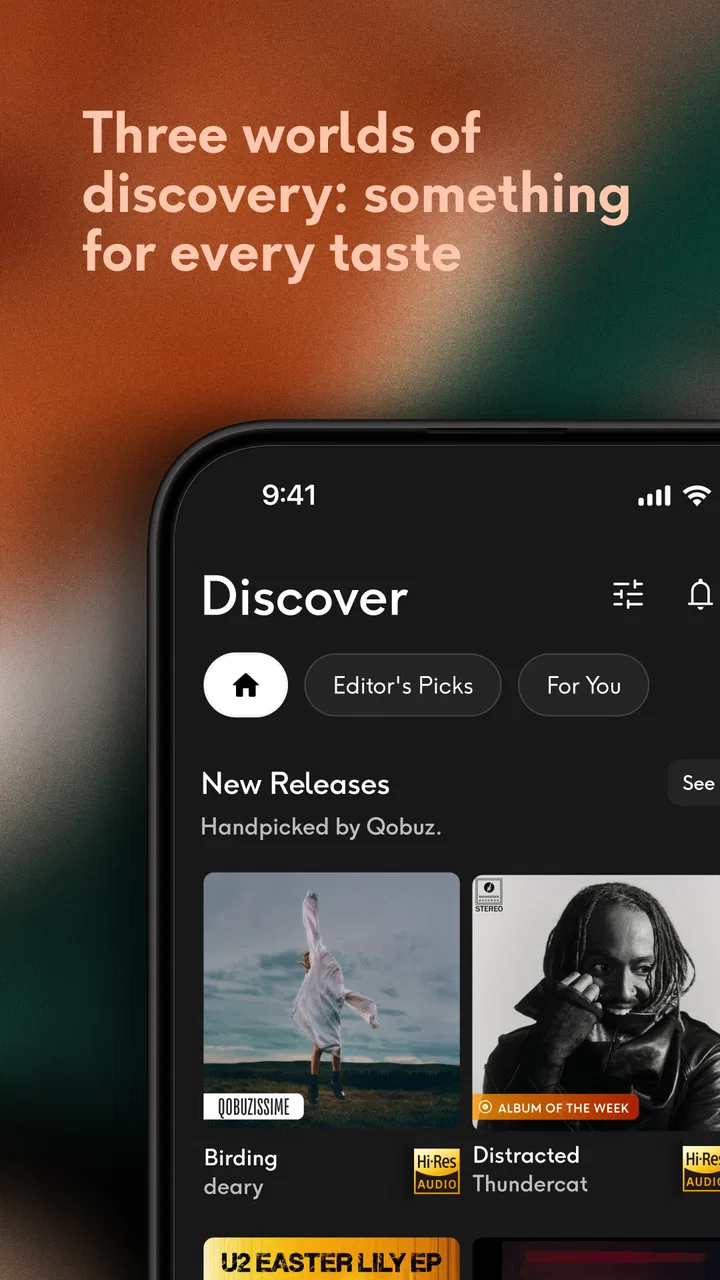
I approached Qobuz as a listening app rather than just another service for pressing play and moving on. It sits in the Music & Audio category, comes from Qobuz, and is free to install, with optional in-app purchases listed at $15.29 per item. The central idea is straightforward: give listeners access to a very large catalog for streaming and downloading, while putting more attention on sound quality and music discovery than many everyday alternatives do.
After spending time with it, my impression is that Qobuz suits people who care about how an album sounds and who enjoy choosing music deliberately. It is less convincing for someone who only wants the cheapest way to hear a few familiar playlists, or for a listener who expects every social feature and recommendation trick found in the biggest mainstream platforms. The app has a more considered personality, and that is both its appeal and its main limitation.
How I use Qobuz from a normal listening session
In a normal listening session, I use Qobuz in two passes: first I choose the mood or album, then I decide whether it belongs in my regular rotation or is just a one-time discovery. That small pause keeps browsing from turning into an endless queue and makes it easier to notice when I’m ready to move from casual listening to a more focused album session.
You May Also Like

 Blood Strike: 2.5 Anniversary
Blood Strike’s Loadouts Turn Every Drop Into a Tactical Gamble
A close look at Blood Strike’s custom loadouts: how fast access to signature weapons reshapes its battle royale rhythm, rewards preparation, and narrows the gap between fights.

 Pandora - Music & Podcasts
Pandora’s Music Is Easy to Start, but Harder to Recover
Pandora’s strength is its low-effort path from a seed to a station. Its weak spot is how much confidence it asks you to place in connection, setup, and quiet recovery.

 8 Ball Pool
 Is Built on Rivalries, Rematches, and Routine
A close look at the rivalries, rematches, shared routines, and unanswered safety questions that turn a quick pool match into a persistent mobile community.

 Samsung Music
’s Quiet Strength Is Playing What You Already Own
Its reach comes less from spectacle than from dependable access to a personal library. That simplicity is both the app’s strongest retention engine and its ceiling.

 AccuWeather: Weather Radar
AccuWeather Review: A Quick, Clear Forecast for Everyday Decisions
For everyday plans, the best forecast is the one you can understand quickly. AccuWeather makes rain timing, radar, and local conditions easy to act on, with a few trade-offs.

 Hill Climb Racing
Why Hill Climb Racing Still Turns Crashes Into One More Run
A tiny car, a bumpy hill and one more upgrade: Hill Climb Racing keeps resurfacing because its simple chaos makes every near-miss feel personal.
More From Our News Desk



A practical starting workflow for albums, artists, and playlists
My normal routine begins with browsing rather than searching for one isolated track. I might open an artist, inspect an album, and then decide whether I want to hear the full release or save selected tracks. That approach makes the service feel particularly natural for listeners who still think in terms of albums. It also helps avoid the endless, unfocused scrolling that can happen in a large streaming library.
When I already know what I want, search is the quicker route. I use it for a specific recording, then check the album context before starting playback. That small habit matters because several versions of a release can exist, and choosing the album deliberately is more reliable than tapping the first result. For classical music, live recordings, reissues, and soundtrack albums, this extra glance can prevent an accidental choice that does not match the listening session I had in mind.
The app works well as a bridge between casual listening and collecting. I can play music immediately, but I can also build a more intentional queue around a composer, performer, label, or album. I found that useful on evenings when I wanted a continuous mood without handing the entire decision-making process to an automated mix.
Qobuz also supports downloading music, which changes how I plan listening away from a dependable connection. I prefer preparing a small group of albums before a journey rather than downloading a huge library impulsively. This keeps my offline choices manageable and makes it easier to remember what I actually wanted to hear. It is a simple habit, but it reduces the frustration of opening the app somewhere with poor reception and discovering that the ideal album was never saved.
What the catalog feels like in everyday use
The service advertises access to over 100 million tracks, so its scale is not the issue. The more meaningful question is how you use that scale. I get the most value when I treat the catalog as a research shelf: follow an artist’s discography, compare releases, and move from a familiar album into related work. If I only use it as background music, much of its character disappears.
That makes it a strong fit for focused listening at home, headphone sessions, and anyone building a personal rotation of carefully chosen records. It is also useful for people who want a legitimate way to keep selected music available for travel or unreliable connectivity. On the other hand, listeners who mainly want short, algorithmically generated mixes may find the experience more hands-on than necessary.
Small habits that make the first week easier
I recommend beginning with a short test group of albums rather than attempting to organize everything at once. Choose one familiar record, one album you know well from another service, and one new discovery. Listen in the same conditions and pay attention to whether the app’s presentation and browsing style encourage you to stay with full releases. This gives you a better sense of its fit than judging it from a quick search.
I also keep streaming and downloading as separate decisions. Streaming is convenient for exploration; downloading is for music I already expect to replay. That distinction prevents offline storage from becoming a pile of half-heard experiments. It is one of the most useful repeatable workflows I found because it matches the app’s strengths without pretending every discovery deserves permanent space.
Settings and playback choices worth checking
The first settings I would examine are the ones that affect sound quality, mobile data, and downloads. The best choice depends on your connection, headphones, storage, and listening environment. At home on a reliable network, I am comfortable favoring quality. Outside, I am more cautious, especially when I am not sure how long a session will last or whether I will need to save other music later.
There is a real trade-off here: higher-quality listening can be rewarding, but it can also consume more data and storage than a commuter expects. I would not select the most demanding option automatically on a phone used for travel. Instead, I match the setting to the situation and reserve the most ambitious playback choices for Wi-Fi or a controlled listening session.
Download preferences deserve the same attention. Before saving an album, I check whether the selected quality is sensible for the available space. I also avoid downloading an entire artist’s catalog simply because the option is tempting. A smaller offline library is faster to browse, easier to maintain, and less likely to hide the albums I genuinely wanted.
Another worthwhile check is how the app behaves when moving between streaming and offline listening. I like to test this before a trip, not during it. Start a downloaded album, switch away from the usual connection, and confirm that the intended music is available in the way you expect. This is not glamorous advice, but it is the sort of preparation that separates a dependable music routine from a last-minute scramble.
Sound quality is valuable only when the rest of the chain supports it
Qobuz’s emphasis on high-quality listening makes sense with capable headphones, speakers, or a good wired setup. It is less persuasive through noisy earbuds on a crowded bus, where environmental sound overwhelms many of the differences people hope to hear. I would not pay or configure around maximum quality unless the rest of my listening chain and surroundings justified it.
That does not make quality settings pointless. Better source material can still be worthwhile for quiet rooms and attentive sessions, particularly when I know an album well. My advice is to judge the difference with familiar recordings and at a comfortable volume, rather than assuming a larger technical setting automatically creates a better experience.
Faster patterns for repeat listening
Once I know which albums I return to, I stop searching from scratch. I keep a compact personal collection of dependable choices and use it as a launchpad for the day. From there, I can start with a familiar record, move into a related artist, or switch to a saved download when I leave a stable connection. This is faster than rebuilding the same queue every time.
For discovery, I use a two-stage pattern. First, I sample an unfamiliar album without committing to an offline download. Then, if it survives a complete or near-complete listen, I save it for later. This protects storage and keeps my collection meaningful. It also avoids a common streaming-service problem: accumulating hundreds of hopeful saves that I never revisit.
Another efficient pattern is to create listening themes based on purpose rather than genre alone. I might group music for focused work, a quiet evening, travel, or a long uninterrupted album session. The advantage is practical: when the situation arrives, I choose by need instead of spending ten minutes deciding between similar playlists.
I also find it useful to alternate between editorial browsing and personal repetition. Editorial material can lead me toward music I would not search for directly, while my own saved albums provide reliability. If I rely only on recommendations, the experience can feel passive; if I rely only on my collection, discovery becomes narrow. Qobuz works best when I deliberately use both sides.
Where it compares well with familiar alternatives
Compared with a general-purpose music platform built around social sharing and algorithmic playlists, Qobuz feels more album-centered and more suitable for listeners who want to investigate recordings. Its appeal is not simply having a large catalog; it is the way the service encourages a more deliberate relationship with that catalog.
Compared with a basic radio app, it gives me more control over the exact album or recording I want to hear. Compared with a local music player, it removes the need to manage a complete personal collection before I can explore something new. That combination is convenient: discovery and owned-style organization can coexist, even though the experience still depends on the service and the choices I make inside it.
The trade-off is that Qobuz may feel less instantly entertaining than platforms that constantly generate a personalized stream. If you want music to appear with almost no input, another service may be more comfortable. I prefer Qobuz when I want to make the decision myself, especially for an album I intend to hear from beginning to end.
Advanced limits and points that may frustrate you
The size of the catalog does not guarantee that every search will feel effortless. A broad library can produce multiple editions, similarly named releases, and results that require a little interpretation. I consider this a manageable issue, but it means the app rewards users who check album details instead of tapping blindly.
High-quality streaming and downloads also require realistic planning. A phone with limited storage, a tight mobile-data allowance, or modest headphones may not benefit from the most demanding choices. In that situation, a simpler service or a lower-quality setting may be the more sensible option. Paying attention to technical quality is useful; turning it into a rule for every situation is not.
I would also skip Qobuz if my main priority were a heavily social listening experience, constant friend activity, or a service that does all discovery work for me. Its strengths are tied to music selection, album context, and attentive playback. Those strengths will not compensate for a missing feature if your daily routine depends on a different kind of interaction.
The app’s free installation makes trying it straightforward, but the optional purchase model should still be considered before building a long-term routine. I would test the workflow first: search for the music I care about, explore a few albums, try downloads, and decide whether the experience earns a place alongside my current service. That is more useful than choosing based on catalog size alone.
Who will get the most from it
I would recommend it to a listener who owns decent headphones or speakers, enjoys complete albums, and wants to explore beyond familiar recommendations. It is especially appealing if you like comparing interpretations, following an artist’s work, or preparing a thoughtful offline selection before travel.
It is also a good match for someone who wants a single app to support both discovery and deliberate replay. You can browse widely, then narrow your routine to a small group of trusted albums. That flexibility is more valuable than it first appears because it lets the app serve different moods without forcing every session into the same recommendation format.
I would be more cautious about recommending it to a casual listener who rarely notices sound differences, uses limited storage, or only wants quick playlists during short commutes. Such a person may find the extra attention to album choice and playback quality unnecessary. The right alternative in that case is the one that removes decisions, not the one with the most impressive technical promise.
My verdict after building a repeatable routine
Qobuz is at its best when I use it with a little intention: browse before searching, check the exact release, stream while exploring, download only what I expect to replay, and adjust quality to the equipment and connection available. Those habits make the app feel focused rather than complicated.
The service has earned a strong public response, with an average rating of 4.5 from around 69 thousand ratings, and it has passed one million installs. Those figures suggest a substantial audience, but my recommendation rests more on the listening experience than on popularity. The app has been available since November 5, 2014, and its identity remains clear: it is a music service for people who want to take the listening choice seriously.
Its Teen content rating is worth keeping in mind for households choosing apps for younger listeners. For everyone else, the decisive question is simple: do you want a huge library that you actively explore, or a background stream that makes most choices for you? If you want the first option, I think Qobuz is worth trying. Its real strength is not just access to music, but the control it gives me over how I discover, prepare, and return to it.
I would install it for a careful trial rather than promise that it replaces every other music app. Give it a few familiar albums, one offline test, and a quiet listening session. If those experiences make you want to keep exploring, the service has probably found its audience in you. If they feel like work, a more automated alternative will likely fit your habits better.
FAQs for Qobuz: Music & Editorial
01What is Qobuz and how does it differ from other music streaming services?
Qobuz is a high-resolution music streaming and download service that focuses on delivering superior sound quality and editorial content. Unlike other streaming platforms, Qobuz offers FLAC 24-Bit up to 192 kHz files, providing an audiophile-level listening experience. It also includes in-depth articles, interviews, and album reviews, making it ideal for music enthusiasts who appreciate detailed content.
02Is Qobuz available on both Android and iOS devices?
Yes, Qobuz is available on both Android and iOS platforms. You can download the app from the Google Play Store for Android devices and the App Store for iOS devices. This ensures that you can enjoy high-quality music streaming on a wide range of devices, whether you're using a smartphone or a tablet.
03Does Qobuz require a subscription, and what are the available plans?
Qobuz offers several subscription tiers, including Studio Premier and Sublime plans. The Studio Premier plan allows unlimited streaming of high-resolution audio, while the Sublime plan includes discounts on purchasing music downloads. Both plans are available on a monthly or annual basis, catering to different listening and purchasing preferences.
04Can I use Qobuz offline, and how does its offline feature work?
Yes, Qobuz allows you to download music for offline listening. This feature is perfect for times when you don't have internet access. Simply select the tracks or albums you want to download while connected to the internet, and they will be available in your offline library. This ensures uninterrupted access to your favorite music wherever you go.
05What types of editorial content does Qobuz provide?
Qobuz stands out with its rich editorial content, including artist interviews, album reviews, and curated playlists. It also offers detailed music guides and articles that delve into various genres and music history. This content is designed to enrich the listening experience by providing context and insights into the music, making it a great choice for those who enjoy learning more about their favorite artists and albums.
Pros
- High-resolution audio streaming quality.
- Extensive catalog of diverse genres.
- No ads
- providing an uninterrupted experience.
- In-depth editorial content and reviews.
- Offline listening available for all tracks.
Cons
- Higher subscription cost than competitors.
- Limited social sharing features.
- Occasional app performance issues.
- Not all tracks available in high resolution.
- Interface can be confusing for new users.

Qobuz: Music & Editorial
Gallery